


Coin Identifier - Coin Finder
4.4160.00 Reviews
App Specs
- Version
- 1.3.9
- Updated On
- License
- Free
- Downloads
- 100,000+
- Developer
- Smart AI DEV
- Categories
- Tools
- Platform
- Android
Screenshots
 Analysis by AppCompare
My first week with Coin Identifier - Coin Finder would begin with the small discoveries: a coin from a holiday tucked in a drawer, an unfamiliar piece in a jar of change, or something passed down without much explanation. The appeal is immediate because a photo gives me a place to start when I don’t know the country, date, or design. It turns a moment of curiosity into a quick bit of research, rather than sending me straight into a maze of search results.
That first burst of usefulness is also where I’d keep my expectations grounded. A camera-based match is a starting point, not a formal appraisal or a guarantee that every coin has been identified perfectly. A clear, well-lit image gives the app more to work with than glare, a soft focus, or a coin partly covered by a finger. I’d treat the result as a lead to check, especially before making decisions about a coin’s value.
A useful first-week routine
For a casual user, the easiest habit is to scan a coin when it naturally catches your attention, then save only the pieces you may want to revisit. That keeps the experience light. If I tried to identify every ordinary coin in my wallet, the novelty would fade quickly; if I focused on unusual designs, foreign change, or family keepsakes, each scan would have a reason.
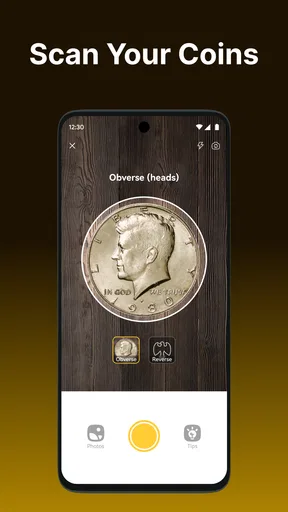
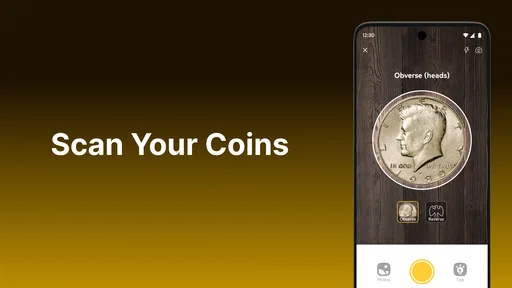
A practical tip is to photograph both sides and keep the coin steady against a plain background. Even if the first image produces a plausible match, the reverse can offer a useful check on country, denomination, or design. Worn lettering and scratches can still make recognition difficult, so I would compare the visible details with the result rather than accepting a match solely because it looks familiar.
When a scan is not enough
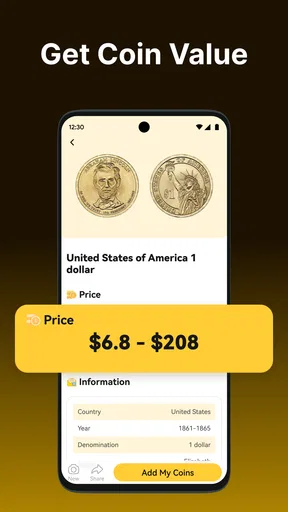
Identification and valuation are different jobs. A likely match can tell me what to investigate, but condition, rarity, mint details, and the market all affect what a coin may be worth. I wouldn’t use a quick estimate as the sole basis for selling, insuring, or dividing an inherited collection. For a potentially valuable piece, a specialist’s assessment is the safer next step.
This distinction matters most with old or damaged coins. Wear can obscure the very marks that separate one issue from another, and two coins that look similar at a glance may not have the same collector value. The app is most helpful when I use it to narrow the search and learn the vocabulary for further research, not when I expect a phone camera to settle every numismatic question.
Who gets the most from it
I can see this fitting a curious beginner, a family sorting a small inherited assortment, or a traveler who brings home unfamiliar change. It offers a low-effort way to turn “What is this?” into a more informed question. Someone building a serious inventory may also appreciate having a convenient place to record finds, provided the collection tools suit the level of detail they need.
Worth Reading Before You Choose

EA SPORTS FC Mobile 26 Is a Bigger Football Game, but It Takes Time

Flipboard Shows What News Apps Must Do Beyond the Feed

Switching to Android Auto Means Rethinking Your Driving Routine

Google Calendar Makes a Crowded Week Easier to Manage

Ludo King Makes the Most of the Minutes Between Plans

Baby Panda World Brings Quick Play to Modern Phones, but Its Game Library Feels Busy
It is less compelling for people who already rely on specialist catalogs, grading references, or a carefully maintained spreadsheet. Those tools can offer more control and depth for research or inventory work. Likewise, anyone looking only for a certified valuation should skip the idea of treating an identifier as an expert appraisal. The best fit is a person who wants accessible identification and a reason to explore further.
A small everyday use case
Imagine sorting a relative’s tin of mixed coins at the kitchen table. Rather than searching every design by hand, I could scan the pieces that look unfamiliar, note the likely identities, and set aside anything with a distinctive date or unusual feature for closer checking. That workflow saves time without pretending the first result answers every question. It also helps separate “interesting enough to research” from ordinary change.
For a collection that grows over time, I’d add items soon after identifying them instead of relying on memory. A short note about where a coin came from can be just as useful as its identification later, particularly when several pieces look alike. The trade-off is that any digital collection needs occasional attention: if I stop recording new finds, the in-app record becomes an incomplete snapshot rather than a dependable inventory.
How it compares with familiar alternatives
The usual alternative is to search the web using a country, date, and visible design, or to consult a printed reference. Those methods can be more deliberate and may help verify an uncertain match, but they demand that I already know which clues to search for. A camera-first tool lowers that barrier. I would use it to get an initial direction, then turn to reference material when accuracy or value matters.
Compared with a general photo search, a coin-focused app has a clearer purpose: it is designed around identifying and organizing coins rather than matching any object in an image. That focus is convenient for quick exploration. The trade-off is that no automated match should replace careful comparison of inscriptions and details, especially for worn, unusual, or potentially valuable pieces. Using both approaches in sequence is more sensible than expecting either one to be infallible.
What keeps it useful after the novelty
The lasting value depends less on how many coins I scan in the first few days and more on whether I have a recurring reason to return. A household collection, a regular collecting hobby, or frequent travel can provide that reason. If I only encounter an unfamiliar coin once in a while, it can still be a handy tool, but I wouldn’t expect it to become an everyday essential.
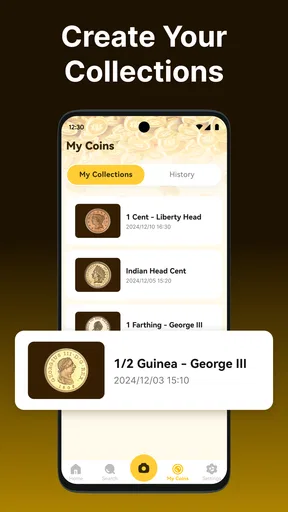
Collection management is where a one-off scan can turn into a repeat habit. Saving a find gives me a way to revisit it, compare it with later discoveries, and keep a record instead of starting over each time. To make that useful, I’d be selective and consistent: add pieces I care about, and avoid filling the collection with coins I have no intention of tracking. The app can support a hobby, but the habit of maintaining the record remains mine.
Where fatigue can creep in
Repeated scans can feel less rewarding when the coins are common, the results are uncertain, or I have no follow-up question to explore. The same goes for treating every identification as a new research project. I’d keep the app enjoyable by setting a modest goal, such as identifying the foreign coins in a drawer or documenting a small inherited group, rather than turning casual curiosity into a chore.
There is also a practical limit to what a camera can infer from an image. Poor lighting, reflections, dirt, and heavy wear can reduce the useful detail, so sometimes the right move is to clean up the setup and try again—not to keep taking near-identical pictures. I’d avoid aggressive cleaning of a collectible coin just to improve a scan; preserving its condition is more important than getting a tidier photo.
Cost, access, and day-to-day fit
This is a free tools app from Smart AI DEV, with optional in-app purchases priced from $4.99 to $49.99 per item. I’d start with the free experience and decide whether the app fits my actual routine before considering any purchase. Since optional purchases can vary in purpose, I would check what an item unlocks in the app before paying rather than assuming it is necessary for basic curiosity.
It is rated for Everyone, and the current version is 1.3.0, with Android 8.0 or later required. The app has a 4.2 average from around 1.3K ratings, alongside 107 written reviews and over 100K installs. Those figures suggest that it has found an audience, but they don’t tell me whether its identification will be reliable for a particular coin. My own standard would be simple: does it help me make a useful next step without encouraging me to mistake a quick estimate for certainty?
The maintenance burden I would accept
There is little value in starting a digital collection if I won’t keep it in reasonable shape. I’d decide on a simple rule before adding coins: record the identity and any useful context while the coin is in front of me, and revisit uncertain matches only when there is a reason. That avoids a backlog of unnamed scans and makes the saved collection more useful later.
I would also keep important records outside any single app if they matter for insurance, inheritance, or a sale. A coin collection can carry sentimental or financial significance, and a convenient catalog is not automatically a complete archival record. For casual collecting, the in-app collection may be enough to jog my memory; for high-stakes tracking, I’d maintain a separate, carefully checked record as well.
First Impressions and Interface
Upon downloading the app, the first thing that struck me was its clean and intuitive interface. The app opens up with a straightforward home screen, making it easy even for the non-tech-savvy among us to navigate. No confusing menus or cluttered screens here. Just a simple, user-friendly layout that invites you to start your coin-identifying journey.
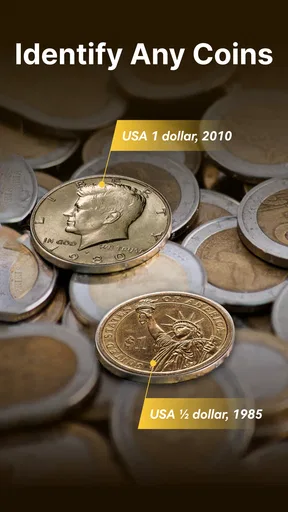
The main feature of the app is its camera functionality. You simply snap a photo of the coin you want to identify, and the app works its magic. It’s like having a Sherlock Holmes for coins right at your fingertips. The app even provides a detailed history of the coin, which is a delightful bonus for history buffs like myself.
Accuracy and Performance
Now, let’s talk about accuracy. I tested the app with a variety of coins—everything from ancient Roman coins to more modern currencies. Impressively, the app correctly identified the vast majority of them. There were a couple of instances where it struggled with heavily worn coins, but honestly, that’s understandable given the challenge of recognizing intricate details on such pieces.
The app’s performance is pretty solid too. It processes images swiftly, and the identification results pop up in no time. This quick response is particularly helpful when you’re out and about and want to identify a coin on the fly.
Features and Extras
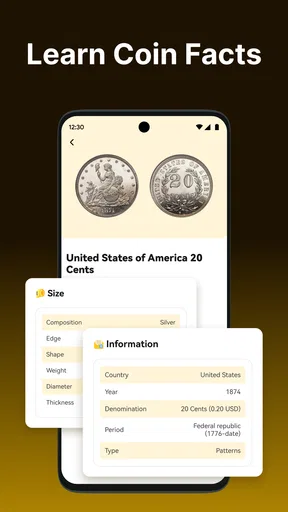
Beyond the basic identification, the app is packed with features that enhance its utility. There’s a built-in encyclopedia that’s a treasure trove of information about different coins, from their historical background to their metal composition. It’s like having a mini museum in your pocket.
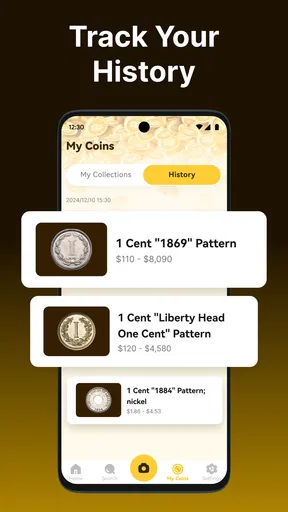
Another feature I found quite handy is the app’s ability to save your identified coins. You can create a personal collection right within the app, allowing you to keep track of your finds. It’s perfect for hobbyists or anyone wanting to document their growing collection.
User Experience
One of the things I really appreciate about this app is the lack of intrusive ads. While it does offer in-app purchases for additional features, it doesn’t bombard you with ads every five seconds, which is a huge plus in my book. The developers seem to understand that a seamless user experience is crucial.
Another noteworthy aspect is the community feature. You can connect with other coin enthusiasts and share your finds, which adds a social element to the app. It's always fun to see what rare coins others have discovered and maybe even get a few tips on where to look for your own.
Conclusion
Overall, I found Coin Identifier - Coin Finder to be an impressive tool for anyone interested in numismatics, whether you’re a seasoned collector or just curious about the odd coin you come across. Its ease of use, combined with its rich database and community features, make it a standout app in its category.
If you’ve ever found yourself wondering about the history behind a coin, or just want to start a new hobby, this app is definitely worth checking out. It’s like having a little piece of the past in your hand, ready to be explored and appreciated.
Pros
- Quickly identifies coins with high accuracy.
- Supports a vast database of global currencies.
- User-friendly interface with intuitive navigation.
- Offline mode available for coin identification.
- Regular updates with new coin data and features.
Cons
- Occasional misidentification of rare coins.
- Requires premium subscription for advanced features.
- Limited historical information on certain coins.
- Ads can be intrusive without a purchase.
- Some features require a stable internet connection.
FAQs for Coin Identifier - Coin Finder
What is Coin Identifier - Coin Finder and how does it work?
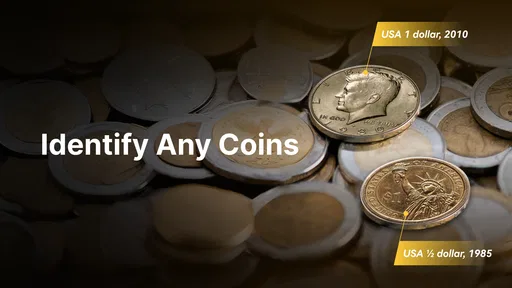
Coin Identifier - Coin Finder is an app designed to help users identify various coins using image recognition technology. By simply taking a photo of a coin, the app analyzes its features and provides detailed information about its origin, history, and value. It’s a handy tool for collectors and hobbyists alike.
Is the Coin Identifier - Coin Finder app free to use?
The app offers a free version with basic features, allowing users to identify a limited number of coins each day. For unlimited identifications and advanced features such as historical data and market value, users can opt for a premium subscription. Pricing details are available on the app store page.
Does the app support all types of coins worldwide?
Coin Identifier - Coin Finder supports a wide range of coins from different countries and eras. However, new coins and updates are continuously added to expand its database. While it covers many popular coins, some rare or newly released coins might not be immediately recognized.
What devices are compatible with Coin Identifier - Coin Finder?
The app is available on both Android and iOS platforms. It requires a device with a functioning camera and internet connection to access its database for accurate identification. Make sure your device meets the minimum OS requirements specified in the app store description for optimal performance.
How accurate is the identification process of the app?
The app uses advanced image recognition technology, which is highly accurate for most coins. However, factors like poor lighting or blurry images can affect results. Users are encouraged to take clear photos with good lighting for the best accuracy. The app also provides tips for optimal image capturing.


